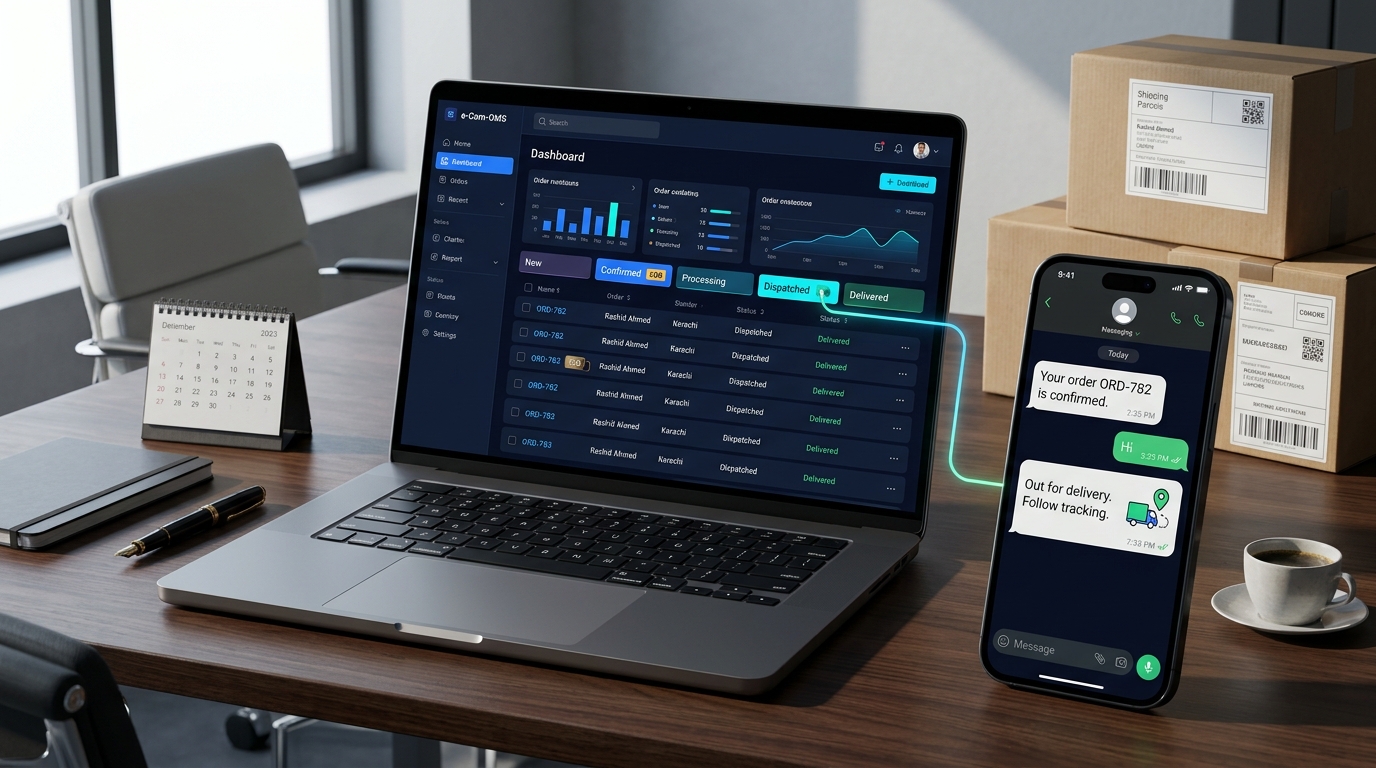
If your online store receives orders through a website, Instagram, Facebook or WhatsApp, you probably know how much time gets wasted confirming orders, checking delivery addresses, answering "Where is my parcel?" and updating customers manually.
For Pakistani e-commerce businesses, these tasks can become difficult to manage as order volume grows, especially when cash on delivery (COD) is involved. Connecting WhatsApp to your website or order management system can help organize these conversations and automate useful updates.
However, there is an important development businesses should understand before implementing a WhatsApp integration. Meta introduced another WhatsApp Business Platform pricing change effective 1 October 2026. Service messages now have a monthly free allowance of 1,000 messages per business phone number, after which applicable charges begin. Message pricing also depends on the message category and the recipient's market.
This guide explains what changed, how WhatsApp Business API works, how an online store can use it for order communication, and what to consider before connecting it to a Laravel application, e-commerce website or custom business system.
1. What Changed in WhatsApp Business API Pricing in October 2026?
Businesses often assume that replying to a customer on WhatsApp is always free. That assumption can create problems when planning a business messaging system.
Meta's current WhatsApp Business FAQ documents a change effective 1 October 2026: each business phone number receives its first 1,000 service messages free each month. Service messages beyond that allowance are charged according to the applicable published rates.
Meta also uses per-message pricing. A delivered message is priced according to its category and the market associated with the recipient. This means businesses should estimate costs using their actual messaging patterns rather than assuming that every WhatsApp interaction has the same price.
Understand the four message categories
| Category | Typical use | What businesses should understand |
|---|---|---|
| Marketing | Promotional campaigns, offers, product announcements and abandoned-cart reminders. | These messages are intended to promote products or encourage sales. They are priced under the marketing category. |
| Utility | Order confirmations, payment updates and delivery notifications. | These messages relate to a specific customer action or transaction and should not be disguised promotional messages. |
| Authentication | One-time passwords and account verification. | These messages are used to verify a user's identity. |
| Service | Customer support replies and conversations with a business. | The first 1,000 service messages per business phone number each month are free under the October 2026 pricing change. Applicable charges begin after that allowance. |
For example, a retailer sending a delivery update is handling a transactional communication, while sending a discount campaign is marketing. The purpose of a message matters when selecting an approved template and estimating its category.
Important: Do not use old pricing articles as your only source when planning a new integration. Review Meta's latest WhatsApp Business FAQ and official pricing page before committing to a monthly messaging budget. Rates can change, and the applicable price depends on the destination market and message category.
2. WhatsApp Business App vs WhatsApp Business Platform (API)
These two products serve different needs. Choosing the wrong one can lead to unnecessary costs or limitations later.
WhatsApp Business App
The WhatsApp Business app is suitable for smaller businesses that mainly communicate with customers manually. It provides business profiles and basic communication features, but it offers limited customization and integration with other software.
A shop owner who receives a manageable number of enquiries and personally responds to customers may not need a custom API integration.
WhatsApp Business Platform
The WhatsApp Business Platform provides programmatic access so businesses can connect messaging with their wider technology stack. It can support automated communication, interactive messages and integrations with order systems, customer support tools and other applications.
For example, a business could connect its online store to WhatsApp so that an order status change triggers an appropriate customer notification.
Meta provides two routes for accessing the platform: businesses with the required development capability can integrate directly, while others can work with a Business Solution Provider. A provider may have its own additional fees, so compare the complete cost rather than looking only at Meta's message charges.
Read Meta's explanation of the WhatsApp Business Platform features before choosing an approach.
3. How Pakistani Online Stores Can Use WhatsApp Automation
The most useful implementation is not simply a chatbot that replies to greetings. It is a reliable connection between customer communication and the actual order records in your business system.
COD order confirmation
When a customer places a cash-on-delivery order, the website can save the order and trigger an approved WhatsApp notification asking the customer to confirm the purchase and delivery details.
The customer's response can then be recorded against the order. Depending on the business rules, the order can move into a confirmed, cancellation-requested or manual-review status.
This makes the process easier to track than relying on staff to read messages and update spreadsheets manually. It does not guarantee that every customer will accept a parcel, but it can help a store identify unconfirmed orders before dispatch.
Order and delivery updates
Once an order is processed, the system can send useful updates at important stages, such as:
- Order received and recorded.
- Payment received, where applicable.
- Order packed and ready for dispatch.
- Parcel handed to the courier.
- Delivery status updated.
- Customer support or return request received.
These notifications should be connected to real order events. Avoid sending duplicate messages or notifications for every minor internal change.
Customer support and order tracking
A connected support flow can help customers ask questions such as "What is my order status?" or "Has my parcel been dispatched?" The system can look up the relevant order and provide an accurate response, while complicated requests are passed to a staff member.
For this to work properly, the system must identify the customer safely and retrieve information from the correct order. It should never expose another customer's address, order details or personal information.
Product enquiries and sales follow-ups
Retailers can also use WhatsApp to respond to product questions, share relevant catalogue information and follow up with customers who have requested assistance.
Promotional campaigns and abandoned-cart messages need special care. Businesses should obtain the required permission, use the appropriate approved message templates and respect opt-out requests. A customer giving a phone number for delivery does not automatically give permission for unrelated marketing campaigns.
4. A Practical WhatsApp Integration Workflow for an Online Store
Consider an online clothing store built with Laravel, a custom PHP application or an e-commerce platform. The following is a practical high-level workflow for connecting its order system to the WhatsApp Business Platform.
- Customer places an order: The website validates the checkout details and creates an order record in the database.
- System checks the event: The application identifies whether the order requires a confirmation, payment notification or another permitted customer message.
- Message is prepared: The application selects the appropriate approved template and fills it with the required order information.
- Message is sent: The backend sends the request to the WhatsApp Business Platform using secure server-side credentials.
- Status is received: The integration processes delivery-status notifications and relevant customer replies through webhooks.
- Order record is updated: The system records the communication result and updates the order workflow where appropriate.
- Staff handle exceptions: Unclear replies, delivery problems and customer complaints are sent to a human team member.
A simple example would look like this:
| Order event | System action | Business value |
|---|---|---|
| New COD order | Send an approved confirmation message and record the response. | Creates a record of customer confirmation. |
| Order dispatched | Send a relevant dispatch or tracking update. | Keeps the customer informed. |
| Customer asks for an update | Look up the order and provide its current status. | Reduces repetitive manual enquiries. |
| Customer requests a return | Collect the required details and create a support request. | Gives staff a consistent process to follow. |
5. How Much Should a Business Budget for WhatsApp API Messages?
There is no single monthly cost that applies to every business. Your messaging bill depends on how many messages are delivered, their categories, the destination markets and any additional fees charged by the provider or software you use.
Consider this illustrative example: one business phone number delivers 2,400 service messages during a month. Under Meta's October 2026 allowance, the first 1,000 service messages are free and the remaining 1,400 fall into the chargeable range.
This example only illustrates the service-message allowance. Marketing, utility and authentication messages need to be estimated separately using their applicable rates. It is not a PKR quotation or a complete estimate of the business's monthly bill.
Use this budgeting approach
- Estimate delivered marketing messages separately.
- Estimate delivered utility messages, such as order and delivery updates.
- Estimate authentication messages if your system sends OTPs.
- Count service messages for each business phone number and account for the monthly free allowance.
- Check the current rate card for the recipient markets.
- Include any Business Solution Provider, inbox software, hosting or integration costs.
A useful planning formula is:
Estimated monthly messaging spend = applicable delivered-message charges by category and market + provider or software fees + applicable taxes.
Review usage regularly after launch. A system that sends unnecessary notifications can increase costs and irritate customers at the same time.
6. WhatsApp Rules Businesses Should Not Ignore
Technical integration is only one part of a successful deployment. A business must also follow the WhatsApp Business Messaging Policy.
Obtain customer permission
Meta's policy requires businesses to have the customer's phone number or username and the necessary opt-in permission before sending business messages or calls. Explain what kind of messages the customer is agreeing to receive, and make it easy to opt out.
Use approved templates when required
Businesses may initiate conversations using approved message templates. Outside the 24-hour customer service window, business-initiated messages must use approved templates. A customer message opens or resets the 24-hour window, during which a business can respond without a template.
Keep human support available
Automation should not trap customers in an endless bot conversation. Meta's policy requires clear and prompt escalation options for automated responses, such as a human agent, phone number, email or web support.
Protect customer information
Store only the information needed for the workflow, protect API credentials on the server, restrict access to customer records and avoid exposing sensitive information in message content or logs.
Read the current WhatsApp Business Messaging Policy before launching a production integration. Platform rules and requirements can change.
7. What a Reliable Laravel WhatsApp Integration Should Include
For businesses using a custom Laravel application, a production integration should be designed around reliability rather than simply sending an API request from a checkout page.
Recommended components
- Order events: Trigger communication only after the relevant order operation has been successfully completed.
- Queue jobs: Send messages through background jobs so a temporary messaging API issue does not block checkout.
- Secure credentials: Keep API tokens and application secrets on the server, never in browser JavaScript.
- Webhook endpoint: Receive message-status updates and customer responses from the platform.
- Duplicate protection: Prevent repeated webhook events or retries from creating duplicate order actions.
- Message history: Record message identifiers, order references, timestamps and delivery results.
- Failure handling: Log failed requests, retry temporary errors safely and provide a manual fallback.
- Usage monitoring: Track message volume by category and phone number to help control monthly costs.
For example, a Laravel application could create an order, dispatch a queued notification job after the database transaction succeeds, and use a webhook to record the platform's delivery status. This keeps messaging separate from the checkout process and makes failures easier to investigate.
These are implementation recommendations, not a claim that every business needs a custom-built platform. A small shop may be better served by the standard WhatsApp Business app, while a growing store with multiple staff members, frequent orders or an existing order management system may benefit from a deeper integration.
8. Should You Use a Ready-Made WhatsApp Tool or Build a Custom Integration?
The right choice depends on how your business operates and which systems need to communicate.
| Business requirement | Possible approach |
|---|---|
| Manual communication and a small number of enquiries | Start with the WhatsApp Business app. |
| Shared team inbox and standard messaging workflows | Evaluate a suitable Business Solution Provider or customer-support platform. |
| Automatic messages from an existing online store | Use an available integration or connect the store through supported APIs. |
| Custom order management, inventory and reporting workflows | Consider a custom API integration with your existing business application. |
| Special business rules and multiple connected systems | Plan a tailored integration with clear permissions, logs and human support. |
Do not build custom software just because it sounds more advanced. First identify the operational problem, compare available tools and calculate the ongoing cost. Custom development becomes more useful when your business requirements cannot be handled efficiently by the standard options.
9. A Checklist Before You Launch
Before connecting WhatsApp to your website or business software, review the following:
- Do you have a clear reason for using the WhatsApp Business Platform instead of the regular app?
- Have you completed the required business account and phone-number setup?
- Have you reviewed message templates and obtained the necessary customer permissions?
- Do you understand the latest message categories and pricing?
- Does your website or application store accurate customer and order information?
- Can your system process delivery-status notifications and customer replies?
- Are API credentials protected on the server?
- Can a staff member take over when automation cannot resolve a request?
- Can you monitor failed messages, duplicates and monthly usage?
Meta also recommends setting up the account, completing business verification, testing with a limited group and reviewing message quality before scaling. Read its WhatsApp Business Platform onboarding guide for the official process.
10. Need WhatsApp Connected to Your Website or Business Software?
For a business that already has an online store, POS, inventory system or Laravel application, the most useful solution may be to connect customer messaging with the system that already holds the business data.
Lishaq Solutions works on Laravel/PHP applications, custom business software, API integrations, e-commerce websites and admin dashboards. We can discuss your requirements and help plan a suitable integration around your existing workflow, whether that involves order notifications, customer support, order tracking or a custom management dashboard.
We do not claim to be an official Meta Business Solution Provider. WhatsApp account access, template approvals, platform policies and message billing remain subject to Meta's requirements and the provider you choose.
If you are planning a WhatsApp integration for your online store or business application, contact Lishaq Solutions with a brief description of your current system and what you want to automate. We can help you assess whether a ready-made tool or custom development is the more practical option.
Frequently Asked Questions
Is WhatsApp Business API free in Pakistan?
Accessing the platform directly does not mean that all business messages are free. Meta charges based on delivered messages, their category and the recipient's market. Under the pricing change effective 1 October 2026, the first 1,000 service messages per business phone number each month are free, with applicable charges after that allowance. Additional provider or software fees may also apply.
What changed in WhatsApp Business API pricing on 1 October 2026?
Meta introduced a monthly free allowance of 1,000 service messages per business phone number. Service messages beyond that allowance are charged according to the applicable published rate. Businesses should also budget for other message categories using the current rate card.
Can I connect WhatsApp Business API to a Laravel website?
Yes. A Laravel application can communicate with the WhatsApp Business Platform through its supported APIs and webhooks. A typical integration can trigger approved notifications from order events, receive delivery statuses and process customer replies. The implementation must follow Meta's technical and messaging requirements.
Can WhatsApp automatically confirm COD orders?
A connected system can send a confirmation request and record the customer's response against an order. However, it cannot guarantee successful delivery or eliminate fake orders and returns. It should be used as one part of a wider order verification and fulfilment process.
Do I need a separate WhatsApp API provider?
Not necessarily. Meta provides a direct access route for businesses with the required development capability. Businesses that need assistance or additional software features can evaluate an approved Business Solution Provider. Compare onboarding, support, software fees and message costs before choosing.
Can I send promotional messages to every customer who places an order?
No. A phone number collected for an order should not automatically be treated as permission for unrelated marketing. Obtain the required opt-in permission, use the appropriate approved templates and respect opt-out requests under the WhatsApp Business Messaging Policy.
Is the regular WhatsApp Business app enough for my shop?
It may be enough when a small team handles a manageable volume of customer conversations manually. Consider the Business Platform when you need programmatic integration, automated workflows, shared systems or communication tied to your existing software.