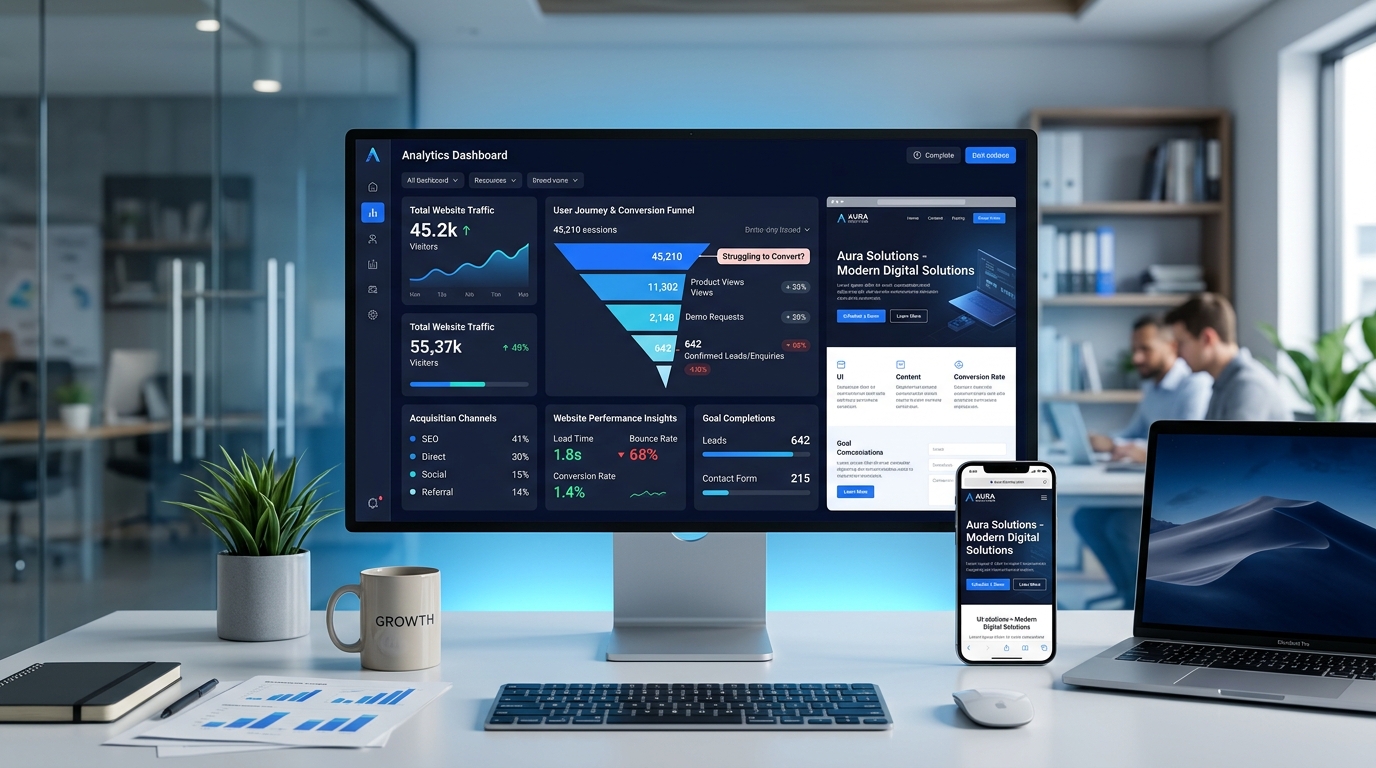
Your business has a website. It looks professional, the pages load, and your contact information is available. But weeks or months pass without enough customer enquiries.
Maybe visitors are coming from Google but leaving without contacting you. Perhaps your website gets almost no traffic at all. Or your competitors seem to be attracting customers even though your services are just as good.
If this sounds familiar, the problem might not be your business. It could be how your website attracts, communicates with, and converts potential customers.
In 2026, a successful business website needs more than attractive colours and a modern design. It must be discoverable, fast, trustworthy, easy to navigate, and built around the actions customers want to take.
This guide explains 10 common reasons business websites fail to generate customers, how to identify each problem, and what to improve before spending money on a complete redesign.
First, Understand Why Your Website Is Not Generating Leads
Before changing your website, identify which part of the customer journey is failing.
A typical service-business journey looks like this:
- A potential customer searches for a service or discovers your business.
- They visit a relevant page on your website.
- They understand what you offer and whether you can solve their problem.
- They find enough evidence to trust your business.
- They take action by contacting you, requesting a quotation, or booking a consultation.
If your website has little traffic, the first two steps may need attention. If it attracts visitors but gets few enquiries, the problem may involve your message, user experience, trust signals, or conversion process.
Important: These are different problems. Spending money on more traffic will not automatically fix a website that fails to convince visitors.
1. Your Website Is Not Appearing for Relevant Google Searches
Imagine that you own a company providing commercial cleaning services. When someone searches for office cleaning in your city, your business should ideally have a relevant page that explains the service, the areas you cover, and how customers can contact you.
If your website only contains a generic homepage with a list of unrelated services, search engines and potential customers may struggle to understand which specific searches it should satisfy.
How to investigate
- Set up Google Search Console and check which queries show your pages in search results.
- Review which pages receive impressions and clicks.
- Check whether your important service pages are indexed.
- Search for your brand and relevant service descriptions to understand the results customers encounter.
- Identify important customer questions your existing pages fail to answer.
How to improve it
Create useful pages for your main services, with clear headings, accurate descriptions, relevant examples, and helpful answers to customer questions.
For example, a software company offering custom inventory systems should explain who needs the system, which operational problems it can solve, and what functionality may be required.
A dedicated service page is often more helpful than repeating the same keywords dozens of times on a homepage.
Search engine optimisation is not simply placing keywords in titles. It involves useful content, accessible pages, clear internal links, technical quality, and an understanding of what people are searching for.
2. Your Homepage Does Not Explain What Your Business Actually Does
One of the most common website mistakes is using impressive language without communicating a clear offer.
Consider a homepage that says:
We deliver innovative digital excellence and transformative solutions for tomorrow.
It sounds sophisticated, but a new visitor may still not understand what the company sells, whom it serves, or why they should enquire.
A clearer message might be:
We build websites, inventory systems, and business automation tools for companies that want to reduce manual work and manage operations more efficiently.
The second statement helps visitors understand the services and potential value immediately.
Improve your homepage message
Your main heading and introductory section should answer three questions:
- What do you offer? Clearly name the service or product.
- Who is it for? Describe the types of customers or businesses you serve.
- What problem does it solve? Explain the useful outcome in everyday language.
Follow this with an appropriate action, such as requesting a quotation, viewing relevant work, or discussing a project.
3. Your Website Looks Attractive but Is Difficult to Use
Good UI and UX design are not only about appearance. They help customers find information, understand choices, and complete tasks without unnecessary effort.
A visitor should not need to search through several sections just to discover what services you offer or how to contact you.
Common usability problems
- Important navigation links are difficult to find.
- Buttons use unclear labels such as "Explore" without explaining what happens next.
- Text is difficult to read on mobile screens.
- Forms request unnecessary information.
- Important service details are hidden beneath decorative elements.
- Popups interfere with reading or navigation.
What to do instead
Use a clear navigation structure, readable typography, sufficient contrast, descriptive headings, and forms that only request essential information.
Test the website with realistic tasks. For example, ask someone unfamiliar with the business to find a service, understand its benefits, and submit an enquiry.
Observe where they hesitate or become confused. Those difficulties are more valuable than simply asking whether they like the design.
4. Your Website Is Too Slow on Mobile Devices
A website can look impressive on a developer's computer but feel slow on a customer's phone. Large images, excessive scripts, blocking resources, unnecessary animations, and poorly optimised third-party tools can affect performance.
Google uses Core Web Vitals to describe important aspects of real-world page experience.
| Metric | What it measures | Good experience target |
|---|---|---|
| Largest Contentful Paint (LCP) | How quickly the main visible content loads. | 2.5 seconds or less |
| Interaction to Next Paint (INP) | How responsive the page feels when visitors interact. | 200 milliseconds or less |
| Cumulative Layout Shift (CLS) | How much the visible page unexpectedly moves. | 0.1 or less |
These are Google's recommended good-experience thresholds. Meeting them does not guarantee high search rankings or increased sales.
How to test performance
Start with Google PageSpeed Insights. Test your homepage and important service pages, especially on mobile.
Look for the problems identified in the report, rather than treating its overall performance score as the only goal.
Common improvements
- Use appropriately sized images and modern formats such as WebP or AVIF when supported.
- Remove unnecessary JavaScript and third-party widgets.
- Load nonessential images only when needed.
- Use efficient caching and delivery of static assets.
- Prevent layout shifts by defining image and media dimensions.
- Investigate expensive scripts that delay user interactions.
Performance work should be measured before and after changes. A faster website can improve the experience, but results depend on your audience and the rest of your conversion process.
5. Visitors Cannot Find a Clear Next Step
Suppose a visitor reads your web development service page and decides your company might be suitable. What should they do next?
If there is no obvious path to contacting you, they may leave without enquiring.
A call to action (CTA) tells visitors what they can do next.
Examples of useful calls to action
- Request a Website Quotation
- Discuss Your Software Project
- Get a Website Review
- Book a Product Demonstration
- Talk to Our Development Team
The best wording depends on what you genuinely offer. Avoid promising free audits, instant estimates, or consultation availability unless your business can deliver them.
Place a relevant call to action after explaining a service and near the end of useful articles. It should feel like a logical next step, not an interruption.
6. Your Website Does Not Give People Enough Reasons to Trust You
Visitors may understand what you offer and still hesitate to contact you. They want to know whether your business can actually deliver.
Trust comes from evidence, clarity, and consistency.
Useful trust-building elements
- Real portfolio projects: Show examples of work with clear explanations.
- Relevant screenshots: Help visitors understand what your software or websites look like.
- Project descriptions: Explain the business requirement and the solution delivered.
- Genuine testimonials: Publish customer feedback only when authentic and authorised.
- Clear contact details: Make it easy to reach your business.
- Transparent processes: Explain how projects are discussed, scoped, developed, tested, and delivered.
For a software development company, a screenshot alone is rarely enough. A better portfolio entry explains what the application does, which problem it addresses, and the features relevant to prospective customers.
Do not invent customer testimonials, project outcomes, or performance statistics. Genuine, verifiable proof is more valuable than impressive but unsupported claims.
7. Your Website Is Not Designed for Mobile Customers
A responsive layout should do more than shrink desktop elements to fit a smaller screen.
Mobile visitors need readable content, accessible navigation, buttons that are easy to tap, and forms that work comfortably with a touchscreen keyboard.
Check these mobile problems
- Headings or content overflow beyond the screen.
- Buttons are too small or too close together.
- Navigation menus hide important links.
- Images push valuable content too far down the page.
- Forms are difficult to complete on a phone.
- Sticky elements cover content or controls.
Test important pages on actual mobile devices when possible. Check your homepage, service pages, portfolio, blog articles, and contact forms.
Accessibility should also be considered. Clear labels, keyboard access, meaningful alternative text, and adequate contrast make websites easier to use for a wider range of visitors.
8. You Are Attracting the Wrong Visitors
Not every visit is equally valuable for your business.
A software agency might publish an introductory programming tutorial that attracts students searching for answers. The content may be useful, but those visitors are not necessarily looking to purchase software development services.
By contrast, an article explaining how to choose inventory software for multiple retail branches could attract owners or managers evaluating a potential purchase.
Match content to customer intent
| Visitor intent | Example search | Useful content |
|---|---|---|
| Learning | What is a POS system? | Beginner-friendly educational guide. |
| Problem solving | How to manage inventory across shops? | Workflow explanation and practical checklist. |
| Comparing solutions | Custom POS vs ready-made POS. | Comparison with requirements and trade-offs. |
| Ready to enquire | Custom inventory software development company. | Relevant service page with proof and enquiry options. |
A healthy content strategy can serve all these intents, but they have different roles. Educational articles build awareness, comparison articles support decisions, and service pages help ready buyers enquire.
Connect them through natural internal links so readers can move from learning about a problem to understanding available solutions.
9. Your Website Is Not Prepared for How Search Is Changing
In 2026, people discover information through traditional search results as well as AI-powered search experiences.
Google's guidance for appearing in AI-powered Search features emphasises that established SEO principles remain important. Website owners should prioritise useful, original content, technical accessibility, and a good page experience rather than relying on supposed AI-search shortcuts.
What businesses should focus on
- Publish accurate service information and helpful explanations.
- Use descriptive titles and headings that match the actual page content.
- Keep important content available as readable text.
- Use relevant internal links between articles, services, and project pages.
- Make sure important pages can be crawled and indexed.
- Use structured data only when it accurately describes visible page content.
- Maintain genuine business information and original examples.
Creating an extra file called llms.txt or stuffing AI-related phrases into every page is not a substitute for these fundamentals.
Google does not guarantee that eligible pages will appear in AI Overviews or AI Mode. The right objective is to make your website genuinely useful and discoverable across search experiences.
10. You Are Not Measuring What Happens After Someone Visits
If you only check how many people visit your website, you might miss the real problem.
Traffic is useful, but business owners also need to understand which pages attract relevant visitors and whether those visits produce meaningful enquiries.
What to measure
- Organic impressions: How often pages appear in Google Search results.
- Organic clicks: How often people visit from those results.
- Important page visits: Which service and portfolio pages receive attention.
- Enquiry submissions: How often visitors successfully submit a contact or quotation form.
- Qualified enquiries: How many enquiries match the type of customer your business serves.
- Customer outcomes: Which enquiries eventually lead to actual work.
Use Google Search Console to understand search visibility and a suitable privacy-conscious analytics setup to measure relevant website interactions.
A button click is not always a completed enquiry. For example, tracking a contact-form submission should ideally confirm that the request was successfully received rather than merely recording a click on the submit button.
How to Calculate Your Website Conversion Rate
A basic visitor-to-enquiry conversion rate can be calculated as follows:
Conversion Rate (%) =
(Enquiries / Website Visits) × 100
For example, suppose your website receives 1,000 visits and records 12 completed enquiries during the same reporting period.
12 / 1000 × 100 = 1.2%That is a 1.2% visit-to-enquiry conversion rate for this illustrative example.
Make sure you use consistent definitions. A rate based on visits is different from a rate based on unique visitors or sessions, and results may vary significantly by industry, audience, traffic source, and how enquiries are counted.
Do not assume that a particular conversion percentage is the universal standard. Measure your own baseline, improve one aspect of the experience, and compare the results over meaningful periods.
A Practical Website Audit Checklist for Business Owners
You can perform an initial website review without immediately hiring a developer. Use the following questions to identify obvious problems.
| Area | Question to ask |
|---|---|
| SEO | Can people discover your main service pages through relevant searches? |
| Messaging | Does your homepage clearly explain what you offer and who it helps? |
| Navigation | Can visitors find your services and contact information easily? |
| Mobile experience | Can people comfortably use your website on a phone? |
| Performance | Have you checked important pages using PageSpeed Insights? |
| Trust | Do you show genuine examples of relevant work and business information? |
| Conversion | Does every important service page have an appropriate next step? |
| Forms | Do contact and enquiry forms work reliably? |
| Analytics | Can you distinguish website visits from completed enquiries? |
| Technical health | Do important pages load correctly without broken links or missing resources? |
If several answers are "no," prioritise the problems that most directly prevent customers from discovering or using your website.
Should You Improve Your Existing Website or Build a New One?
A complete redesign is not always necessary. Sometimes a business needs clearer copy, better service pages, improved navigation, faster images, or a working contact process.
Improve your current website when:
- The platform and code remain dependable.
- The site can support your required services and integrations.
- Most problems involve content, presentation, or navigation.
- Important technical issues can be fixed without replacing the entire system.
Consider a rebuild when:
- The current platform cannot support essential business requirements.
- Important modifications repeatedly create instability.
- The application has serious maintainability or security problems that cannot be addressed economically.
- Your business needs substantially different workflows, integrations, or functionality.
Before rebuilding, preserve an inventory of existing URLs, useful content, backlinks, and important search queries.
Changing page addresses carelessly can break links and disrupt search visibility. When URLs must change, plan a mapping from old pages to their replacements and use permanent server-side redirects where possible.
The decision should be based on your actual requirements, technical condition, risk, and total project cost—not simply whether the current design looks old.
How Lishaq Solutions Can Help Improve Your Business Website
If your website receives visitors but produces few enquiries, or your business struggles to attract relevant visitors in the first place, the solution should start with identifying the problem.
Lishaq Solutions provides website development, custom web applications, ecommerce solutions, business dashboards, API integrations, and automation services.
Depending on your requirements, an improvement project might involve:
- Developing clearer service and landing pages.
- Improving responsive layouts and user experience.
- Addressing website performance and technical SEO problems.
- Building more reliable enquiry and quotation forms.
- Connecting website enquiries to an approved CRM or business workflow.
- Integrating customer support and follow-up automation.
- Developing custom functionality that existing tools cannot adequately support.
Not every website requires a rebuild or an AI chatbot. The sensible approach is to understand the customer journey, identify the highest-priority issues, and choose a solution that fits the business.
Want to improve your website's ability to attract and convert customers?
Share your website address, the services you offer, your target customers, and the problem you want to solve. That information provides a useful starting point for discussing practical improvements.
Frequently Asked Questions
Why does my website get traffic but no enquiries?
Possible reasons include unclear service information, weak calls to action, difficult navigation, poor mobile usability, limited trust signals, or visitors who are not looking to buy your service. Review traffic sources, user experience, and completed enquiry data before deciding what to change.
Does a beautiful website automatically generate sales?
No. Attractive design helps present a business professionally, but sales also depend on relevant traffic, clear messaging, customer trust, a useful offer, and a working conversion process.
Can SEO help my small business get customers?
SEO can improve the discoverability of useful pages in relevant searches. It does not guarantee rankings or customers. Service relevance, competition, website quality, customer demand, and the sales process all affect the business outcome.
Should I redesign my website if it is not getting customers?
Not necessarily. First determine whether the main issue is traffic, content, trust, usability, performance, or lead capture. Some problems can be fixed without a full redesign.
Do I need AI features on my business website in 2026?
Only when they solve a real problem. For example, a chatbot may help customers find information or submit enquiries, but it should not replace clear service pages, accessible contact methods, or reliable human support.
How long does SEO take to generate results?
There is no guaranteed timeline. Search engines need to discover, crawl, and evaluate pages, and performance depends on many factors including competition, content quality, existing website visibility, and technical accessibility. Use Search Console to track progress rather than relying on promises of immediate rankings.
Final Thoughts
A business website is not successful simply because it exists or receives visitors. It should help the right people discover your services, understand your value, trust your business, and take the next step.
Start with evidence. Check your visibility in Google Search, review your important landing pages, test your mobile experience, examine page speed, and verify that your enquiry process works.
Fix the most significant problems first, measure the results, and only invest in a full redesign or custom development when it provides meaningful value.
The goal is not just more website traffic. It is a better experience for the people most likely to become your customers.